E-mail Marketing-Reach the Right Audience, Right in Their Inbox
E-mail marketing helps businesses connect directly with their audience through personalized, timely, and engaging messages. From promoting products and sharing updates to nurturing leads and building customer relationships, it is a powerful way to drive engagement and conversions. With the right strategy, e-mail marketing puts your brand directly in front of the right people, right in their inbox.
What is Email ?
Email, short for electronic mail, is a digital method of sending and receiving messages through the internet. It allows people and businesses to communicate quickly without using traditional postal services. Emails can contain text, images, documents, links, and other files as attachments. To send an email, users need an email address and an email service such as Gmail or Outlook. Email is widely used for personal communication, education, business, marketing, customer support, and professional communication. It is fast, convenient, affordable, and can be accessed from computers, smartphones, and other internet-connected devices.
What is E-Mail Marketing ?
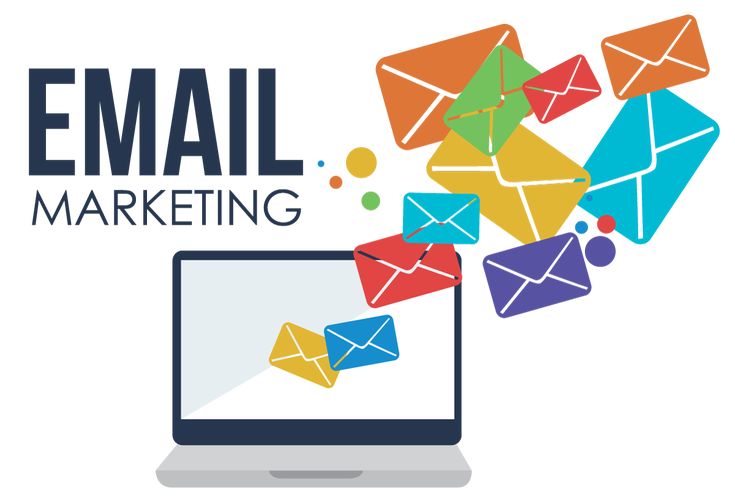
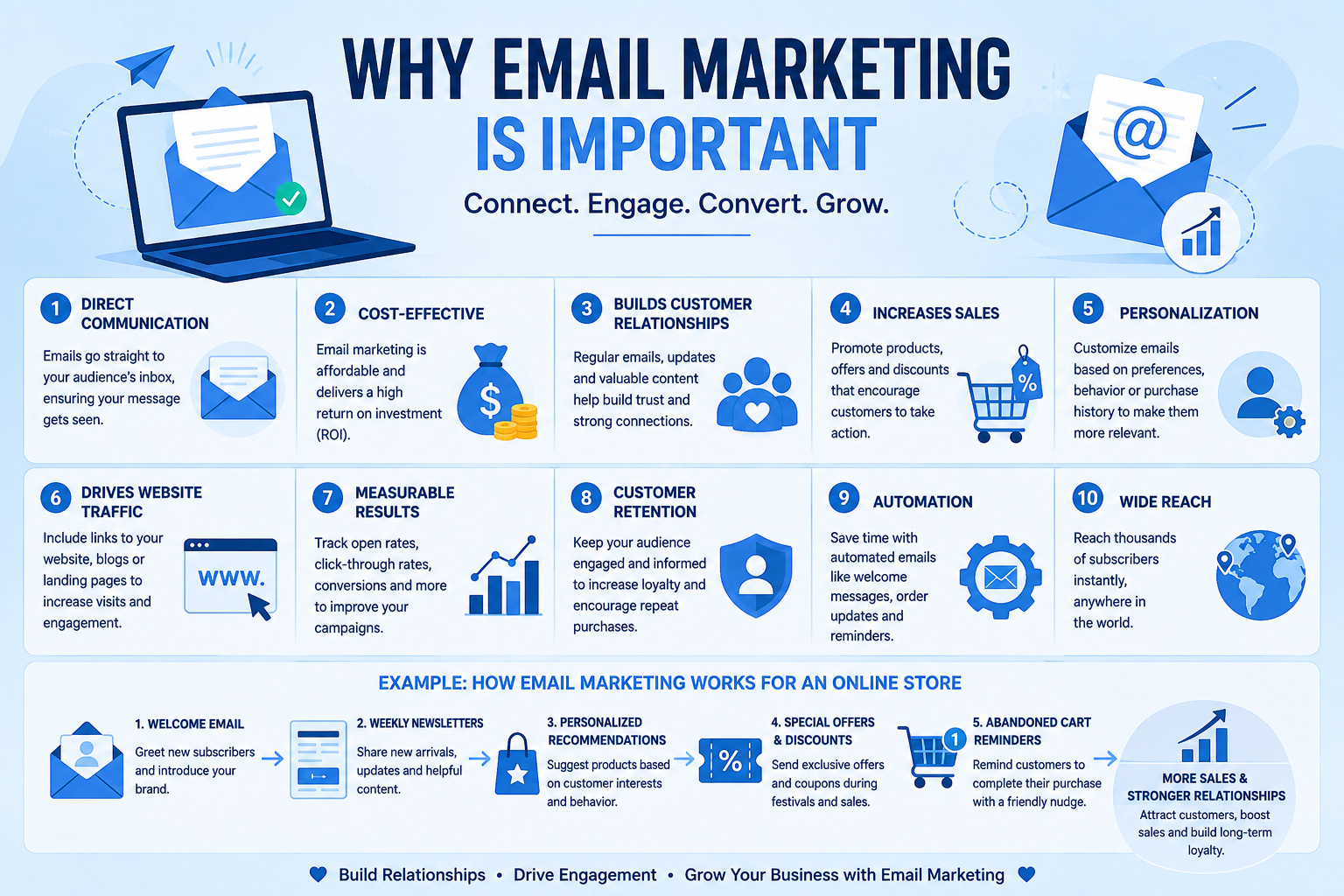
Email marketing is a digital marketing strategy that uses emails to communicate with customers and potential customers. Businesses use it to promote products or services, share updates, build relationships, and encourage customers to take action. Email marketing allows businesses to send personalized messages directly to their audience’s inbox, making communication more direct and effective. Common email marketing campaigns include promotional offers, newsletters, product updates, welcome emails, and special announcements. It is a cost-effective way to increase brand awareness, generate leads, drive website traffic, and improve customer engagement.
What is E-Mail Marketing Procedure ?
Email Marketing Procedure
-
Define Your Goal
Decide what you want to achieve, such as increasing sales, generating leads, promoting a service, or building brand awareness. -
Identify Your Target Audience
Understand who you want to reach and divide your audience based on factors like interests, location, age, purchase history, or behavior. -
Build an Email List
Collect email addresses through website forms, newsletters, lead magnets, registrations, or customer purchases. Always use permission-based lists. -
Choose an Email Marketing Tool
Use an email marketing platform to create, send, automate, and track campaigns. -
Create Valuable Content
Write an attractive subject line and useful email content.A clear "Call-to-Action (CTA)" should be included, such as "Buy Now," "Learn More," or "Contact Us." -
Design the Email
Keep the design professional, mobile-friendly, and easy to read. Use relevant images, headings, and your brand identity. -
Send or Schedule the Campaign
Choose the best time for your audience and send the email. You can also schedule emails for a specific date and time. -
Track Performance
Monitor metrics such as open rate, click-through rate, conversion rate, bounce rate, and unsubscribe rate. -
Analyze and Improve
Study the results and improve future campaigns. Testing different subject lines, content, designs, and CTAs can help increase performance.
In simple terms:
Goal → Audience → Email List → Content → Design → Send → Track → Analyze → Improve
Tools That Make Email Marketing Easier

MailChimp
MailerLite
HubSpot
Useful for creating email campaigns, managing audiences, automation, and analytics.
A simple tool for newsletters, landing pages, automation, and email campaigns.
Provides email marketing along with CRM, automation, and customer management features.
Email Marketing FAQs: Your Questions, Answered
1. What is included in your email marketing services?
Our email marketing services include campaign planning, email design, copywriting, audience segmentation, automation, scheduling, and performance tracking to help businesses reach and engage the right audience.
2. How can email marketing help my business?
Email marketing can help you build stronger customer relationships, promote products or services, generate leads, increase conversions, and encourage repeat purchases through targeted communication.
3. Can you create customized email campaigns for my business?
Yes. We create customized email campaigns based on your business goals, target audience, industry, and brand style to deliver relevant and engaging content.
4. How do you measure the success of an email campaign?
We track key metrics such as open rate, click-through rate, conversion rate, unsubscribe rate, and overall campaign performance to understand what is working and improve future campaigns.
5. How often should my business send marketing emails?
The ideal frequency depends on your audience, industry, and campaign goals. We help create a consistent email schedule that keeps your audience engaged without overwhelming them.